



More time for the children thanks to the childcare center app
No more printing, folding notes and sticking them on the pinboard: our childcare center app makes communication between parents and teachers and the documentation of everyday educational activities easier. This not only saves paper and printer cartridges, but above all time.
"Emil is unfortunately ill today" flashes the message on the display of the tablet at childcare center Wolkenzwerge in Berlin in the morning. Parents and teachers can communicate via an app at childcare centers at pme Lernwelten . With just a few clicks, parents can call in their child sick in the morning or let them know who is coming to pick them up in the afternoon. "That alone makes our work easier. One look at the app and I can see which children are already here, which are sick and which are still missing," says Benjamin-Henrik Mahl from the childcare center management team at pme Lernwelten.
The heart of the app, however, is that the teachers can use the digital log to document the children's day. When did the child eat and what, was it changed, did it sleep, did it learn something new? Instead of communicating this verbally to each parent and writing it down on paper as before, the teachers can simply type everything that happened during the day into the app. Special activities and experiences such as "Emil discovered a butterfly!" or "We built an insect hotel together today" can also be recorded in the daily log.
More time for individual support
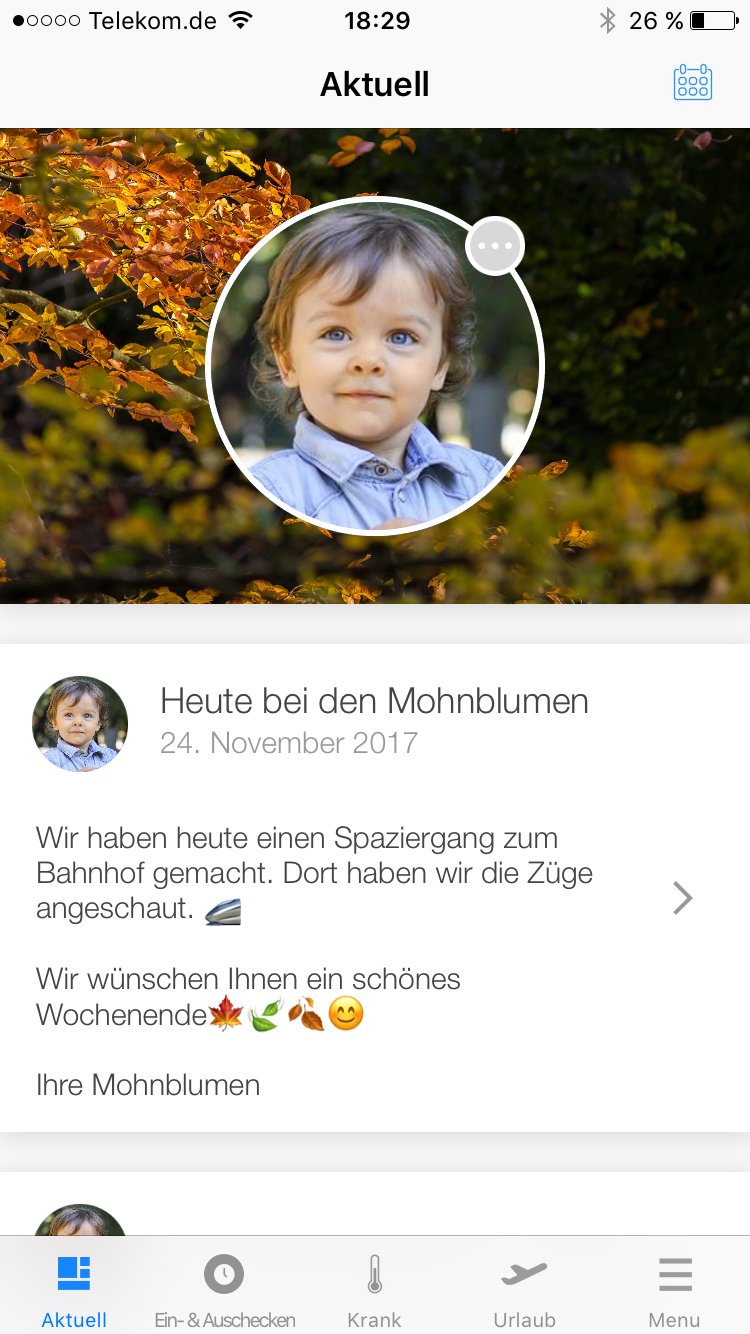 Teachers at childcare center Blütenallee in Darmstadt have been using the app since January 2017. Thanks to the app, parents receive a lot of information during the day, leaving more time to talk about more important matters such as the child's development when picking up the children. "We save time as a whole team thanks to the digital documentation, which benefits both the children and the parents," says head of childcare Katrin Kob. "Thanks to the childcare center app, we spend less time on everyday things such as meals and bedtimes and are better able to discuss what the child has experienced and how they have been throughout the day."
The childcare center app reduces the administrative workload for teachers because information reaches parents faster and in a more targeted way. "Instead of phone calls, text messages or other communication channels, we have a single channel through which we inform parents," explains Benjamin. "We can also easily send information about the upcoming parents' evening or the menu using the app. And we can even see who has read the message and who hasn't yet."
No crowded group chats like on WhatsApp
Teachers don't have to worry about chat groups overflowing with messages like WhatsApp or other messaging services. The childcare center app actually only knows one direction of communication: the teachers inform the parents, not the other way around. The only exception: Parents can sign their child out or in sick.
Door-to-door conversations remain important
The free app for parents does not replace face-to-face conversations and exchanges between parents and teachers. "The app is not there to replace door-to-door conversations at drop-off and pick-up times. But it is a supplement. The fact that facts such as bedtime or eating habits have already been clarified means that there is room to focus more on the child's individual experiences and development or to talk about educational concepts," says Kristina Müller from the childcare center management team at pme Lernwelten.
The childcare center app is not a must for parents. But most parents have downloaded the app. "The app is very popular with parents. They feel well informed, even if they don't pick up the children themselves, and are happy to receive messages from their child," says daycare manager Katrin. Parents and teachers are also on the safe side when it comes to data protection. The data in the childcare center app is subject to European data protection regulations.
About us: We are pme Lernwelten
As a provider of over 75 childcare and educational facilities, we offer parents and children high-quality and flexible education. Our colorful teams are made up of people from different nations, with diverse talents and interests.
You can find out more about our educational concept and current vacancies here: www.familienservice.de/web/pme-lernwelten
Get to know us as an employer!
Creating a balance between work and private life is an integral part of our culture.
You can also look forward to a range of benefits such as a fitness card, job bike and much more: Your career as an educator at pme